
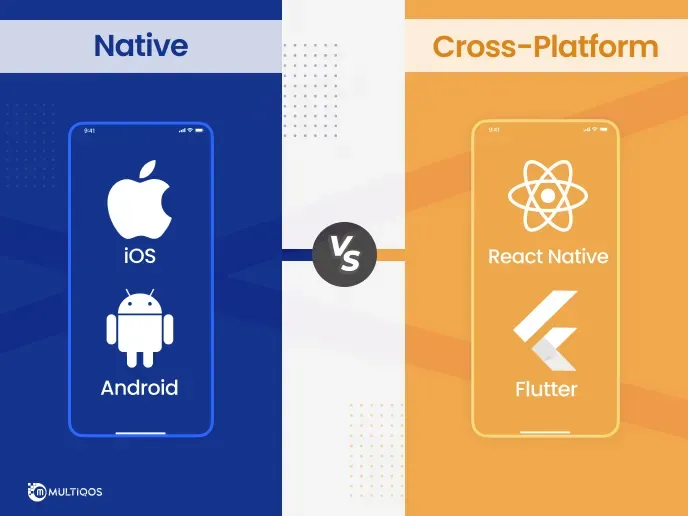
Cross-Platform vs Native Apps is a pivotal decision in modern software strategy, shaping how teams plan features, budgets, and long-term maintenance around a development approach. Your project goals, budget, and long-term maintenance hinge on choosing the right path, particularly cross-platform development, which promises faster delivery and shared code but may introduce platform-specific trade-offs. In this introductory guide, we’ll lay out where each option shines and where trade-offs arise, from speed to scalability, how updates propagate across platforms, and what that means for your roadmap. We’ll touch on practical considerations like architecture choices, testing strategies, and the potential need for native modules to meet platform-specific needs. By the end, you’ll have a practical framework to decide which path best fits your product, your team’s skills, and your timeline.
Beyond the classical binary, many teams pursue multi-platform development or a platform-agnostic strategy that uses a single codebase to cover iOS, Android, and web environments. This approach emphasizes code reuse, faster MVPs, and a unified design system, while still addressing device-specific UX when necessary. When native development is unavoidable, teams plan separate codebases for best performance on each ecosystem, often integrating native modules only where they deliver a clear payoff. Hybrid and progressive web app options can fill gaps where a fully native UX is unnecessary, but they require careful testing for offline behavior and performance. Ultimately, the choice maps to business goals, team skills, and the desired balance between speed, quality, and long-term maintenance.
Cross-Platform vs Native Apps: Strategic Trade-offs for Speed, Cost, and UX
Choosing between Cross-Platform vs Native Apps hinges on speed to market, budget constraints, and long-term maintenance. Cross-platform development enables a single codebase to run on iOS and Android, often delivering a faster MVP and lower upfront costs through frameworks like React Native or Flutter. This aligns with cost comparison cross-platform vs native when you’re looking to validate ideas quickly and iterate based on user feedback.
Yet the promise of a shared codebase can come with trade-offs. Performance and user experience in cross-platform apps may lag behind native for graphics-intensive tasks or nuanced platform conventions unless you introduce native modules or platform-specific optimizations. For projects requiring top-tier responsiveness or deep hardware access, native app development frequently provides a more polished, native-like UX.
Choosing Native App Development vs Cross-Platform Development: A Practical Decision Framework
For teams aiming at the best possible performance and a refined user experience, native app development remains an optimal choice. Building separate codebases for iOS and Android provides fine-grained control over UI, animations, and device features, at the cost of longer timelines and increased maintenance.
For startups and products that require speed-to-market and broad reach, cross-platform development can offer a practical path. A blended or hybrid approach—start with cross-platform to validate assumptions and then add native modules as features demand—can balance cost, performance, and UX. When considering hybrid apps vs native, evaluate whether the extra maintenance of two codebases is worth the upfront speed.
Frequently Asked Questions
What are the key differences between cross-platform development and native app development in the Cross-Platform vs Native Apps landscape?
Cross-platform development uses a single codebase that runs on multiple platforms, whereas native app development builds separate codebases for iOS and Android. This often means faster MVPs and reduced upfront costs with cross-platform solutions, but may introduce UI inconsistencies and the need for native modules to access device features. Native app development typically delivers the best performance and a pixel-perfect user experience, especially for graphics-intensive or hardware-focused apps. Hybrid options exist (hybrid apps vs native), but they can fall short on performance and offline capabilities. When evaluating performance and user experience in cross-platform apps, modern frameworks have narrowed gaps, but native still leads in peak responsiveness and platform-specific UX.
When should I choose cross-platform development versus native app development for a project?
When to choose cross-platform development versus native app development depends on goals and constraints. If speed to market, a lower initial cost, and a smaller maintenance footprint are priorities, cross-platform development is often the right choice for an MVP. If the project requires top-tier performance and a highly polished user experience, native app development tends to be more reliable, especially for graphics-heavy features or deep hardware integration. Consider a blended approach: start with cross-platform development to validate concepts, then add native modules for performance-critical features as needed. Also factor in the cost comparison cross-platform vs native over the long term, including maintenance and platform-specific enhancements, and weigh performance and user experience in cross-platform apps. Finally, evaluate whether a hybrid or progressive web app would suit your use cases where appropriate.
| Aspect | Key Points |
|---|---|
| Understanding Cross-Platform Development |
|
| Understanding Native App Development |
|
| Hybrid and Alternatives: Where They Fit |
|
| Cost Considerations: A Cost Comparison Cross-Platform vs Native |
|
| Performance and User Experience: The Trade-offs for Cross-Platform Apps |
|
| Maintenance, Updates, and the Long Game |
|
| Decision Framework: When to Choose Which Path |
|
| Examples and Use Cases |
|
| Practical Tips for a Better Outcome |
|
Summary
Cross-Platform vs Native Apps presents a strategic spectrum where speed to market and broad reach must be weighed against peak performance and deep device integration. In practice, many teams start with cross-platform foundations to validate concepts, then layer native modules for performance-critical features. By choosing a blended approach and aligning with business goals, organizations can balance cost, UX, and long-term maintainability while delivering a high-quality mobile experience for users.